T-LAY-001A-006
Once a guide is active and properly set up, you can use it to assist you in creating a drawing with perspective. The guide will display its axes going through your mouse cursor as you move it inside your drawing space. When you start drawing a stroke, your drawing tool will become locked to the axis that most closely matches the angle of your stroke, forcing you to draw a straight line along that axis, as if you were using a ruler or a set square.
Guides can only be used with the Brush, Pencil
How to draw using guides
- In the Timeline or Xsheet view, select a drawing, or select an empty cell and create a new drawing by doing one of the following:
- Right-click on the cell and select Drawing > Create Empty Drawing.
- Press Alt + Shift + R
- In the Tools toolbar, select the Brush
 , Pencil

 tool.
tool.
- In the Guides view, select the guide you wish to use.
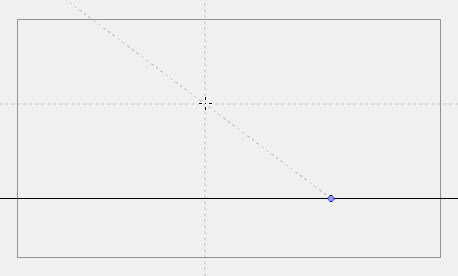
- In the drawing area, draw a stroke with the current drawing tool. From the initial gesture, the tool locks on one of the guide's axes, forcing it to draw a straight line that follows the axis.
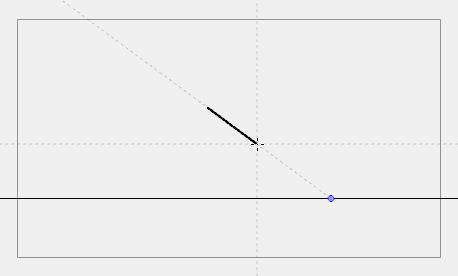
NOTE: Some guides do not lock onto a horizontal or vertical axis line by design. At any time, when drawing with the Brush or Pencil tool, you can hold down Shift + Alt before starting the stroke; this will force the tool to draw a straight line that locks at every 15 degrees. You can also achieve the same effect with the Line tool by holding down Shift before drawing a stroke.
Next Topic
Viewing Drawing Guide Reference Lines
Topics List
- About Drawing Guides
- Adding Drawing Guides
- Deleting Drawing Guides
- Copying Drawing Guides
- Editing Drawing Guides
- Drawing with Drawing Guides
- Viewing Drawing Guide Reference Lines
- Preventing the Editing of Drawing Guides
- Enabling and Disabling Drawing Guides
- Locking Drawing Strokes to a Specific Axis
- Activity 1: Creating a One Point Perspective Layout Using Guides
- Activity 2: Creating a Two Point Perspective Layout Using Guides
- Activity 3: Creating a Three Point Perspective Layout Using Guides