T-LAY-001A-005
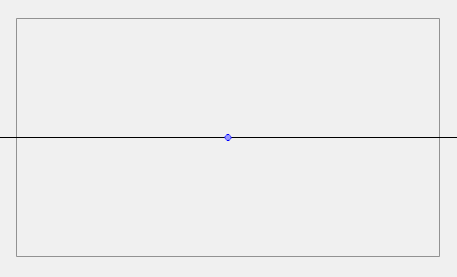
When a new guide is created, it comes with a preset horizon line and, if applicable, preset vanishing points. The position and angle of the horizon line as well as the position of any vanishing point in the selected guide can be adjusted visually from within your drawing space.
Guides can only be edited with the Brush, Pencil
How to edit a drawing guide
- In the Timeline or Xsheet view, select a drawing, or select an empty cell and create a new drawing by doing one of the following:
- Right-click on the cell and select Drawing > Create Empty Drawing.
- Press Alt + Shift + R
- In the Tools toolbar, select the Brush
 , Pencil

 tool.
tool.
- In the Guides view, select a guide to make it the active guide.
Once a guide is active, its horizon line and vanishing point(s) appear in the drawing area.
- In the Guides view, make sure the Lock Guide
 option is disabled. This ensures you're able to edit the active guide.
- In the drawing area, zoom out until all vanishing points are visible (if necessary).
- In the drawing area, grab either the horizon or a vanishing point and move it to its desired location.
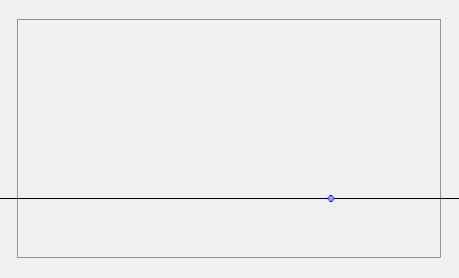
When using the square grid or 1-point perspective guides, the angle of the horizon can be modified by manipulating the horizon line itself.
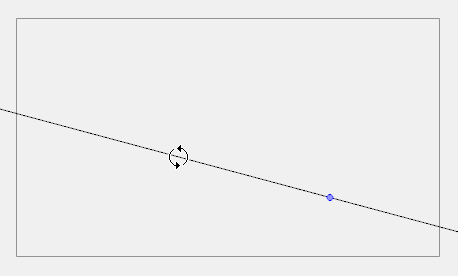
When using the 2-point or 3-point perspective guides, the angle of the horizon can be modified by manipulating one of the two vanishing points on the horizon.
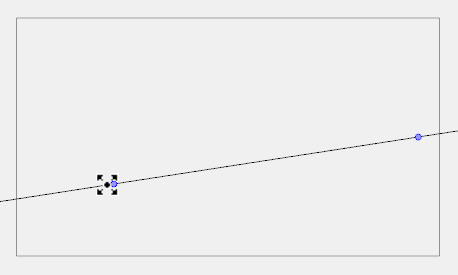
When adjusting the horizon line, you can hold down Shift to snap the horizon line at every 15 degrees. This makes it easy to maintain a perfectly horizontal horizon.
Next Topic
Topics List
- About Drawing Guides
- Adding Drawing Guides
- Deleting Drawing Guides
- Copying Drawing Guides
- Editing Drawing Guides
- Drawing with Drawing Guides
- Viewing Drawing Guide Reference Lines
- Preventing the Editing of Drawing Guides
- Enabling and Disabling Drawing Guides
- Locking Drawing Strokes to a Specific Axis
- Activity 1: Creating a One Point Perspective Layout Using Guides
- Activity 2: Creating a Two Point Perspective Layout Using Guides
- Activity 3: Creating a Three Point Perspective Layout Using Guides