T-ANIMPA-010-010
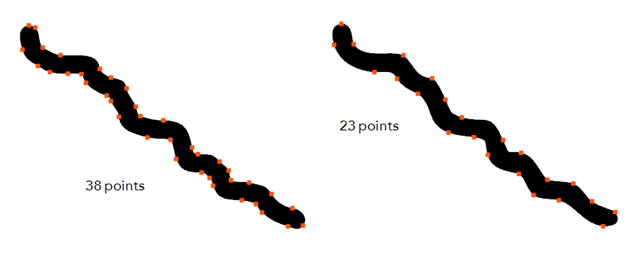
Harmony has a very powerful tool you can use to optimize contours and reduce the number of points on the lines, the Smooth Editor tool.
Next Topic
Smoothing Lines
Topics List
- About the Pencil Tool
- Drawing with the Pencil Tool
- Changing Pencil Settings
- Selecting a Pencil Preset
- Creating Pencil Presets
- Creating Pencil Thickness Presets
- Applying a Pencil Preset
- Exporting Pencil Presets
- Importing Pencil Presets
- Activity 1: Creating Clean Up Pencil Presets
- About the Repositioning All Drawings Tool
- Repositioning Drawings
- About the Contour Editor Tool
- Reshaping a Drawing with the Contour Editor Tool
- About the Pencil Editor Tool
- Reshaping Pencil Lines
- About the Smooth Editor Tool
- Smoothing Lines
- Activity 2: Creating Ink Columns Using TB_PL_IBINK Script
- About OpenGL Antialiasing
- Setting the Full Scene Antialiasing Preference
- About the Tool Colour Swatches
- Unlinking the Tool Colour Swatches
- Displaying the Current Drawing on Top
- Activity 3: Cleaning the Animation