T-RIG3-008-007
To use a Master Controller, you must first display its widget in the Camera and Perspective views. There are two ways to do this:
- Using the Master Controller view, you can quickly find Master Controllers in your scene and display their widgets.
- You can find and select the Master Controller node in the Node or Timeline view and use the Show Control command to display its widget.
Material
To complete this topic, you will need the following from the sample material you downloaded:
-
MO-RIG3-008\360Rig_WithMCs
- MO-RIG3-008\360Rig_WithoutMCs
- MO-RIG3-008\LEIF_WithMCs.tpl
- MO-RIG3-008\LEIF_NoMCs.tpl
How to display or hide the Master Controller's widget using the Master Controller view
- Do one of the following to add the Master Controller view to your workspace:
- In the top-right corner of the an existing view, click on the
 Add View button and select Master Controller.
 - In the top menu, select Windows > Master Controller.
The Master Controller view appears. In it, the Master Controllers list at the bottom displays all the Master Controllers in your scene, with their whole group hierarchy followed by their name.
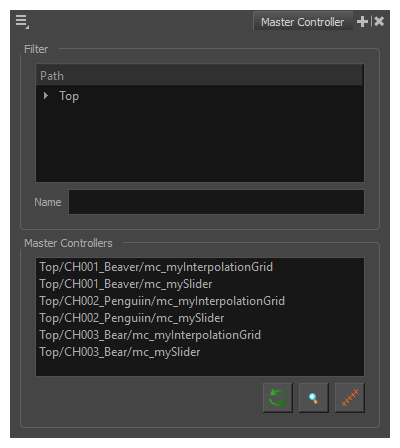
- In the top-right corner of the an existing view, click on the
- If there are a lot of Master Controllers in the list, you can do one of the following to filter the list:
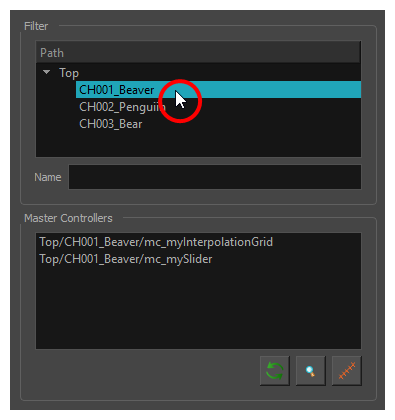
In the Path list at the top of the Master Controller view, expand the Top item to display a list of the groups in your scene, then select the group corresponding to the character in which the Master Controller you want to select is located.
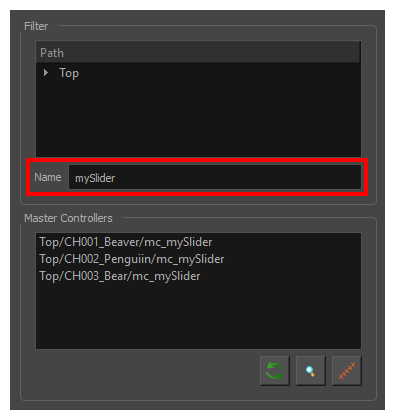
In the Name field, type in part of the name of the Master Controller you want to display.
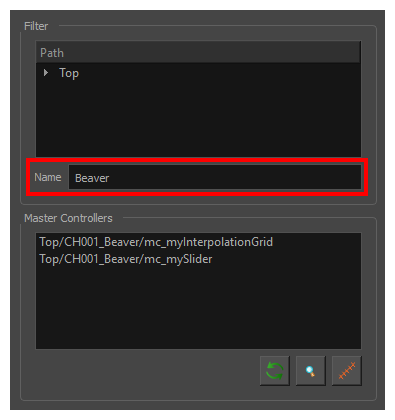
In the Name field, type in part of the name of the group in which the Master Controller you want to display belongs.
-
In the Master Controllers list, select the Master Controller you want to display.
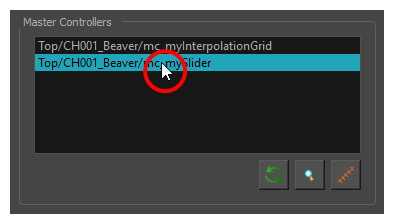
-
In the bottom-right corner of the Master Controller view, click on the
 Show Master Controller button.
The widget displays in the Camera and Perspective views.
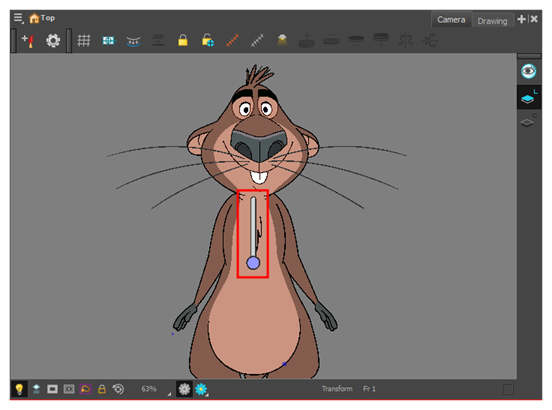 NOTE You can follow the same steps to hide a widget that is already displayed.
How to manually find and display or hide the Master Controller's widget
-
In the Node view or Timeline view, navigate to and select the Master Controller node you want to display or hide.
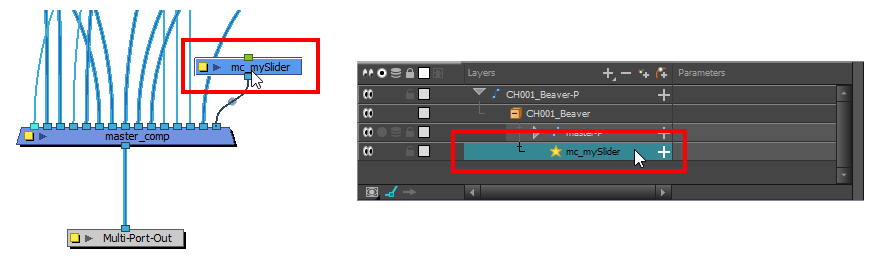
-
Do one of the following to display the Master Controller's widget:
- In the Camera view toolbar, click on Show Control .
- From the top menu, select View > Show > Control.
- Press Shift + F11.
The widget displays in the Camera and Perspective views.
- In the Camera view toolbar, click on
- In the Tools toolbar, select the
 Transform tool.
 - Click and drag on the widget to try manipulating it.
How to hide all Master Controller widgets
- Do one of the following:
- In the Camera view toolbar, click on Hide All Controls
 .
. - From the top menu, select View > Hide All Controls.
- Press Shift + C.
Next Topic